Free download
Network data collection worksheets
Twelve worksheets for gathering what a network drawing needs, from sites and zones to cables, flows and the gaps you haven't filled yet. Draw with what you have, and keep a plan for the rest close by.
Other industries
Editions for your kind of site
The main worksheets use a plant as the example. These editions swap in examples and columns from the other books.
Worksheets for education
The same 12 worksheets with examples from Draw Secure School Network Diagrams and columns that fit education.
CSV, one file per worksheet
- WS-01-site-areas-and-zones.csv
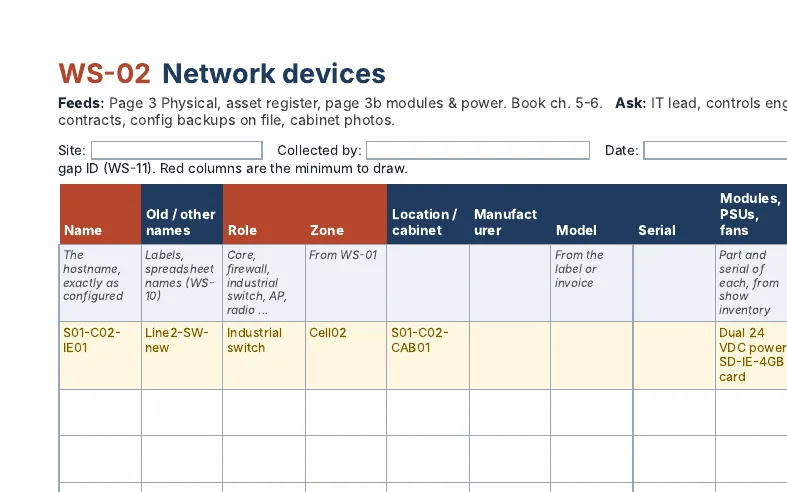
- WS-02-network-devices.csv
- WS-03-vlans-subnets-and-gateways.csv
- WS-04-links-cables-and-optics.csv
- WS-05-rings-pairs-and-stacks.csv
- WS-06-wireless.csv
- WS-07-outside-connections.csv
- WS-08-flows.csv
- WS-09-cabinet-walkdown.csv
- WS-10-name-crosswalk.csv
- WS-11-gaps-and-improvement-plan.csv
- WS-12-audit-evidence.csv
What's inside
One worksheet per page of the drawing
The spreadsheet has a tab for each worksheet, a Plant A example row, and drop-downs for the confidence column. The PDF has the same worksheets to print and fill by hand.
| ID | Worksheet | Feeds | Book chapters |
|---|---|---|---|
WS-01 | Site, areas and zones | Overview, logical page, title blocks | 2, 3 |
WS-02 | Network devices | Physical page, asset register | 5, 6 |
WS-03 | VLANs, subnets and gateways | Logical page | 4 |
WS-04 | Links, cables and optics | Physical, hardware and optics pages, link register | 5, 6 |
WS-05 | Rings, pairs and stacks | Failover page | 7 |
WS-06 | Wireless | Wireless page | 8 |
WS-07 | Outside connections | Overview, multi-site WAN page | 11, 14 |
WS-08 | Flows | Traffic flows page, flow register | 9, 10 |
WS-09 | Cabinet walkdown (field sheet) | Checks WS-02 and WS-04 on site | 5, 15 |
WS-10 | Name crosswalk | Every page | App. H |
WS-11 | Gaps and improvement plan | The data gaps note on every page | 13, 15 |
WS-12 | Audit evidence | Audit evidence page (NetBox builds) | 10 |
Columns for WS-02 to WS-04 follow NetBox import fields, so a filled sheet becomes import files. See How to Import a Plant Network into NetBox.
Draw with what you have
Nobody has everything on day one
Every row gets a confidence code, and the same code goes on the drawing. Anything assumed or unknown gets a gap ID that points at a row in WS-11, your plan to improve.
- V · VerifiedSeen this year: on site, on the label, or in the running configuration. Drawn normally.
- R · RecordsFrom paperwork such as a handover pack, an old drawing or an invoice. Probably right, not checked.
- A · AssumedA best guess, written down so someone can prove it wrong. Drawn with a "?" tag and its gap ID.
- U · UnknownKnown to exist, details missing. Drawn as an UNKNOWN placeholder with its gap ID.
Look inside
Made to print and fill by hand
Click a page to see all of it.
Prefer CSV? One file per worksheet, with headers and the example row.
- WS-01-site-areas-and-zones.csv
- WS-02-network-devices.csv
- WS-03-vlans-subnets-and-gateways.csv
- WS-04-links-cables-and-optics.csv
- WS-05-rings-pairs-and-stacks.csv
- WS-06-wireless.csv
- WS-07-outside-connections.csv
- WS-08-flows.csv
- WS-09-cabinet-walkdown.csv
- WS-10-name-crosswalk.csv
- WS-11-gaps-and-improvement-plan.csv
- WS-12-audit-evidence.csv
From Book 1
Every column explained
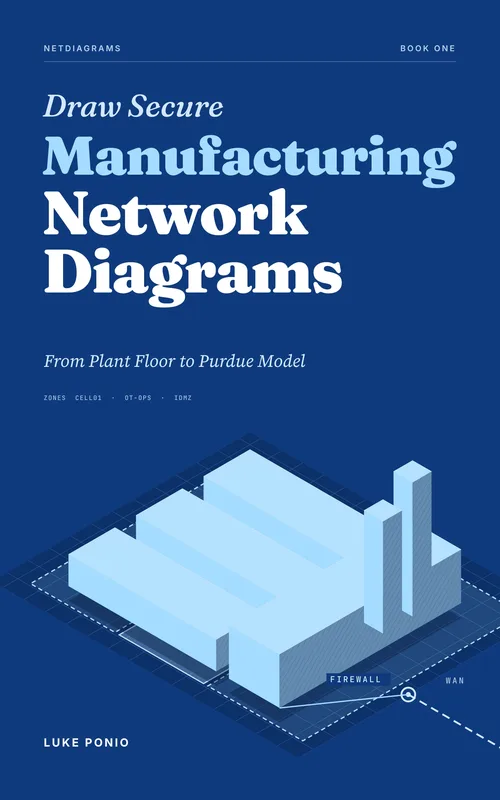
The worksheets come from Draw Secure Manufacturing Network Diagrams. Appendix G explains each column: what it feeds, where to find the data, who to ask, and what to draw while it's missing. Appendix H covers naming schemes for when your names are a mess.
© 2026 SegAudit LLC. Free to use, copy and share unchanged. Not for resale.