What is a network diagram?
A network diagram is a drawing of how the devices in a network connect and how traffic is allowed to move between them. A useful one answers a reader's question without a meeting: which zone is this server in, which firewall guards that edge, what fails over when this switch dies, who may talk to the card readers.
That is why one diagram is never enough. The plant manager, the auditor, the integrator and the technician on the night shift each ask something different. A good network diagram is a set of pages that share one skeleton: the same zones, names and colors on every page, each page answering one audience.
Every example on this page comes from a real drawing set: the sample sites built for the Network Diagrams by Industry books, drawn to one standard and generated from NetBox data.
Logical vs physical network diagram
The two pages people mean most often when they say "network diagram" are the logical and the physical page.
- A logical network diagram shows zones, VLANs, subnets, gateways and the devices that route or filter between them. It answers "what can reach what". It ignores cable runs and rack positions.
- A physical network diagram shows the boxes and the cables: which port goes to which port, over which media, in which room and rack. It answers "what do I unplug".
Mixing the two on one page is the most common reason a diagram stops being read. Keep them apart and let the zone names tie them together.
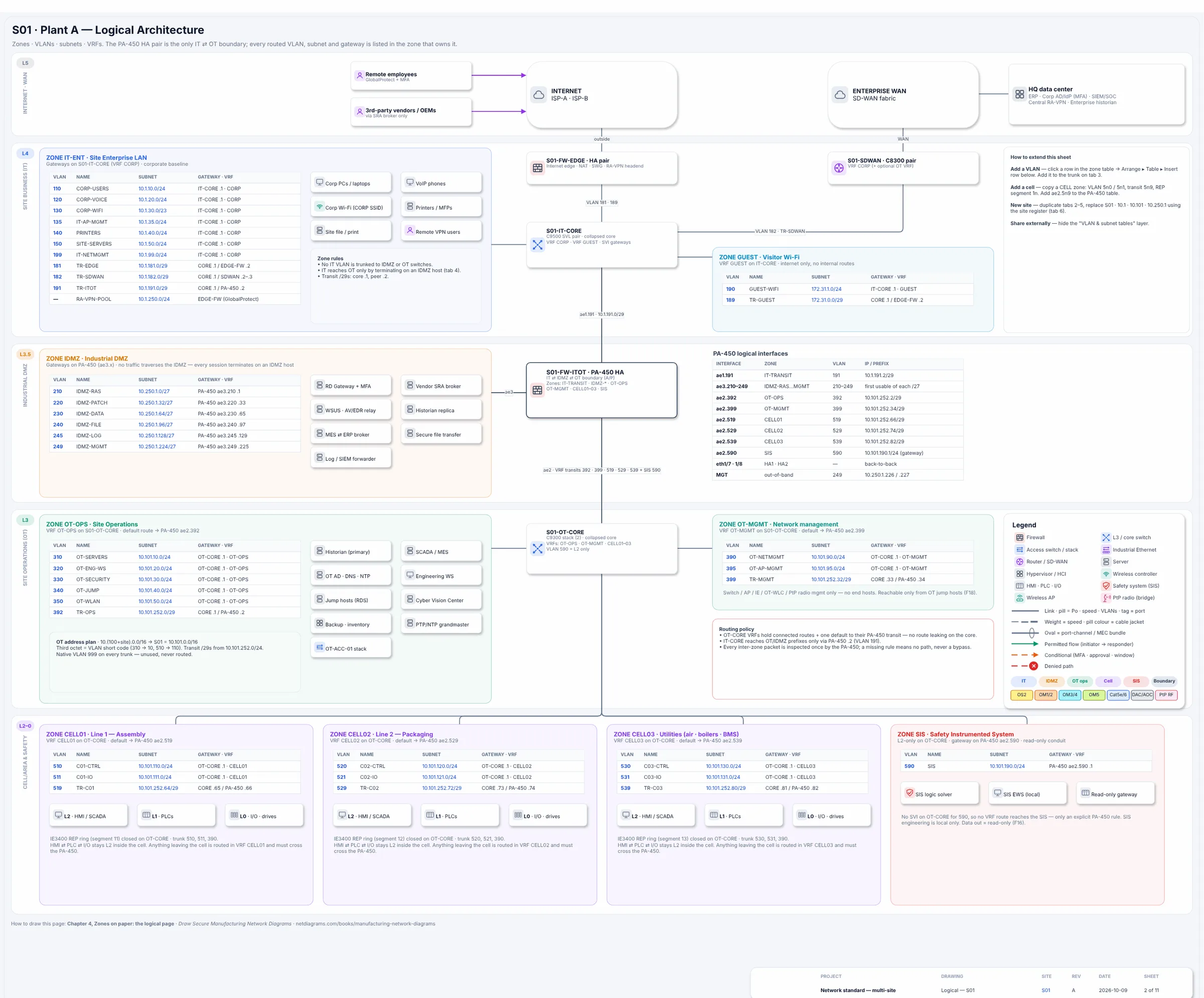
The logical page of the Plant A sample (Book 1): one table per zone listing VLAN, subnet, gateway and VRF, with the boundary devices drawn across the zone line.
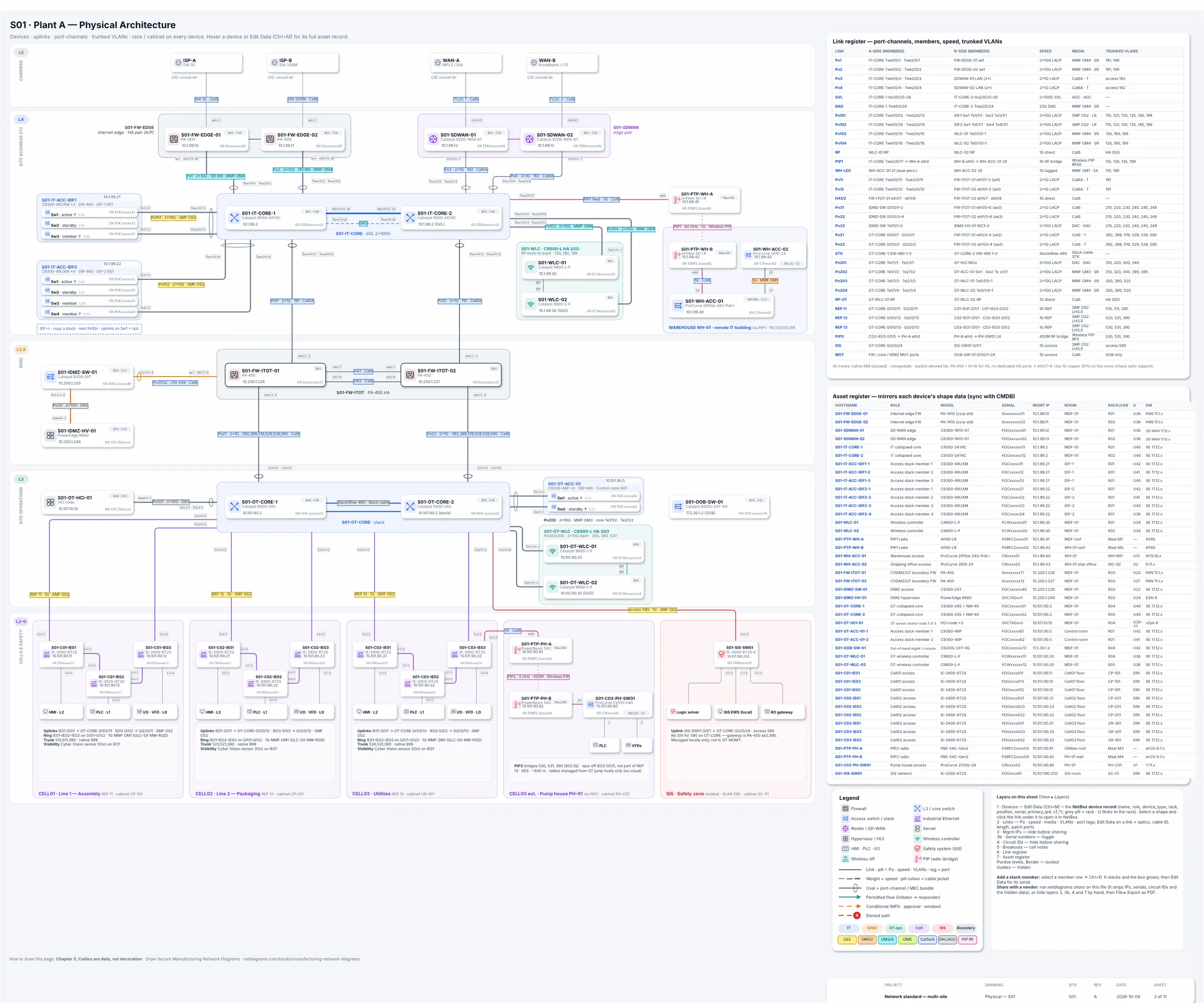
The physical page of the same plant: cores, firewalls and access switches, with every link labeled by port and media.
Network diagram examples by page
One plant, drawn page by page. Each page answers one audience's question, and every page uses the same zones.
| Page | Who reads it | The question it answers |
|---|---|---|
| Overview | Plant manager, executives | Where are the security gates, and what does each one protect? |
| Logical | Network and security engineers | Which VLAN, subnet and gateway belongs to which zone? |
| Physical | Technicians, integrators | Which port connects to which, over what media? |
| Traffic flows | Auditors, firewall owners | Which conversations cross a zone boundary, and in which direction? |
| Failover | On-call engineers | What happens when this link or box fails? |
| Multi-site WAN | IT leadership | Does every site follow the same standard? |
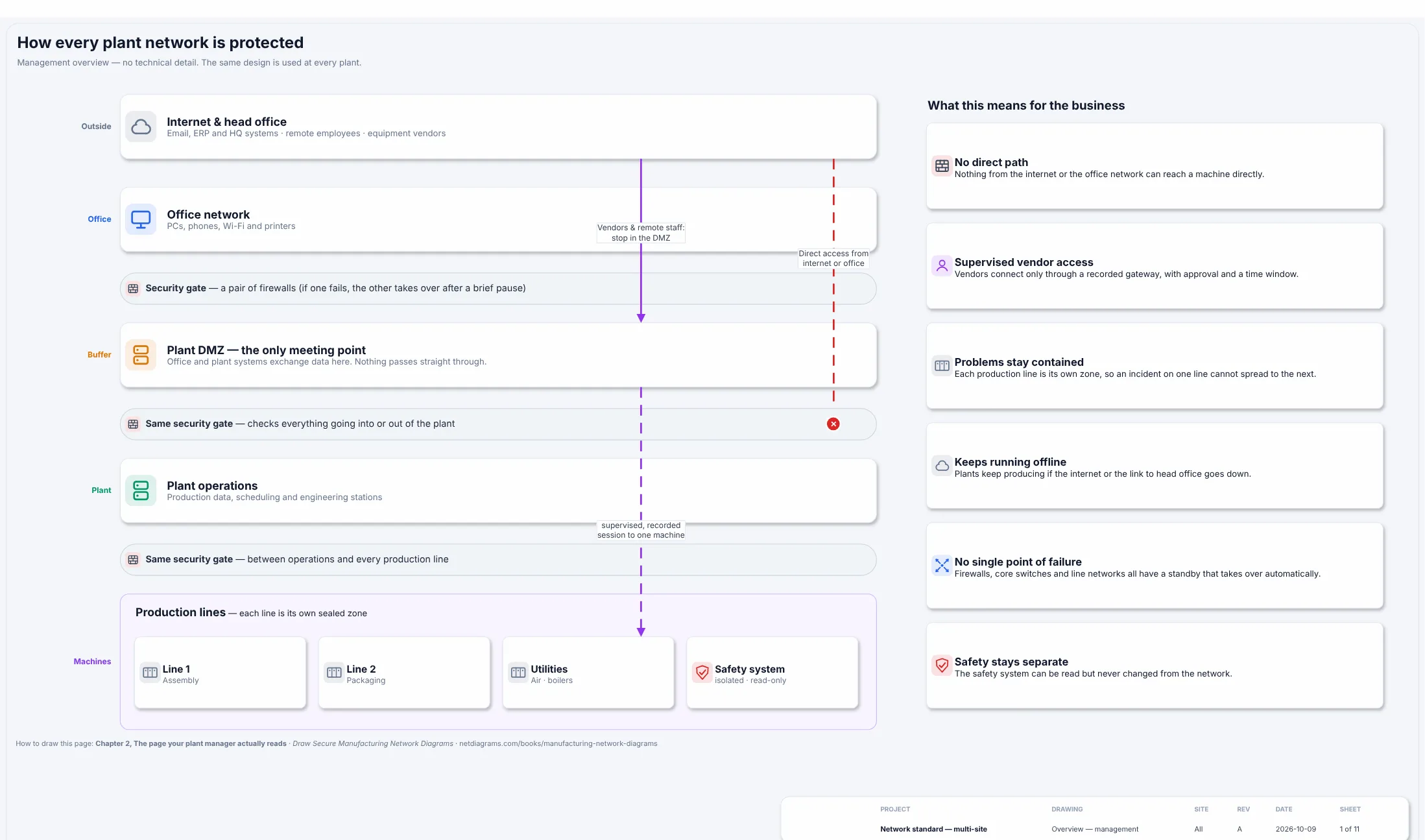
The overview: written in the plant manager's words, with each security gate and what it protects.
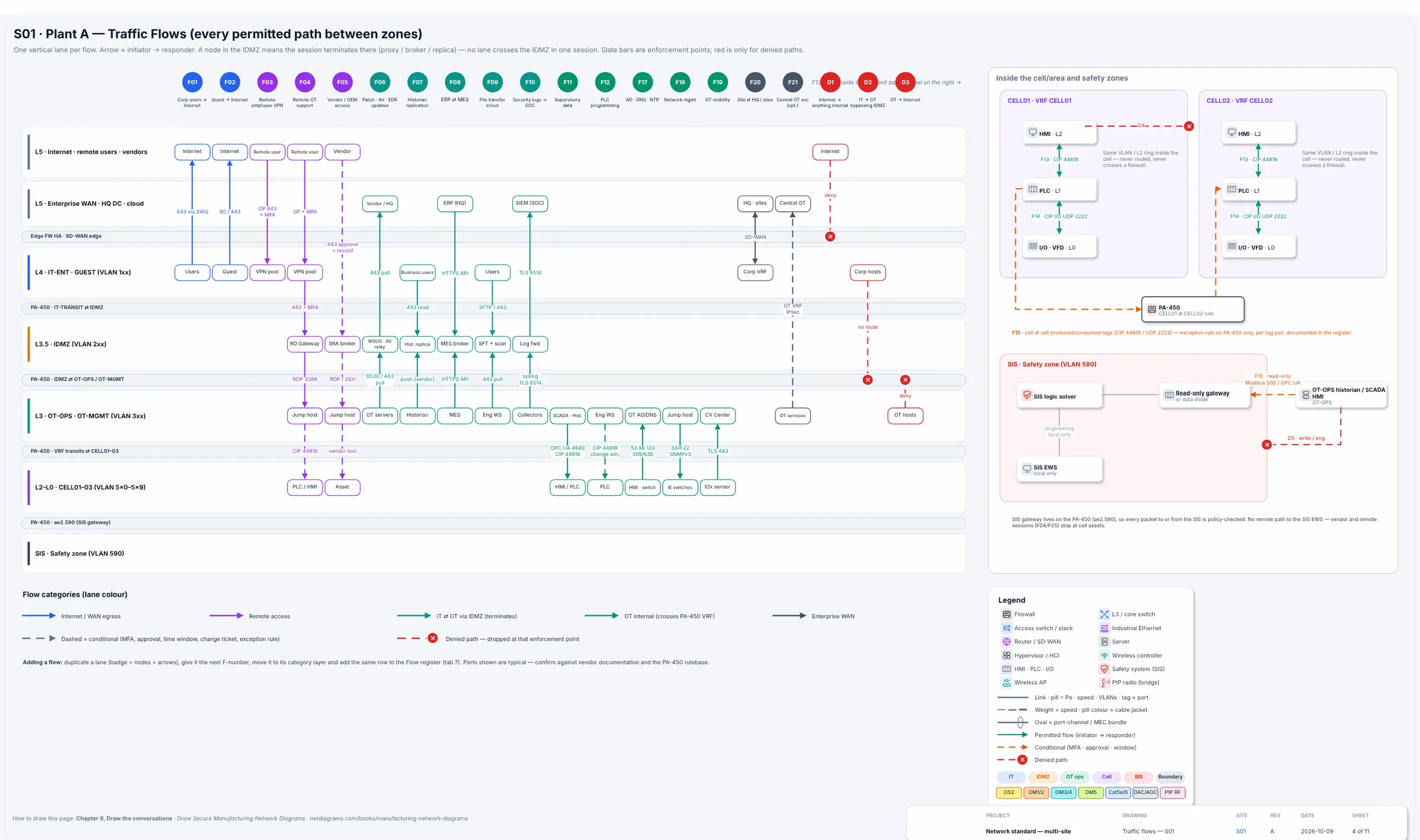
Traffic flows: one lane per conversation, drawn from the side that starts it to the side that answers.
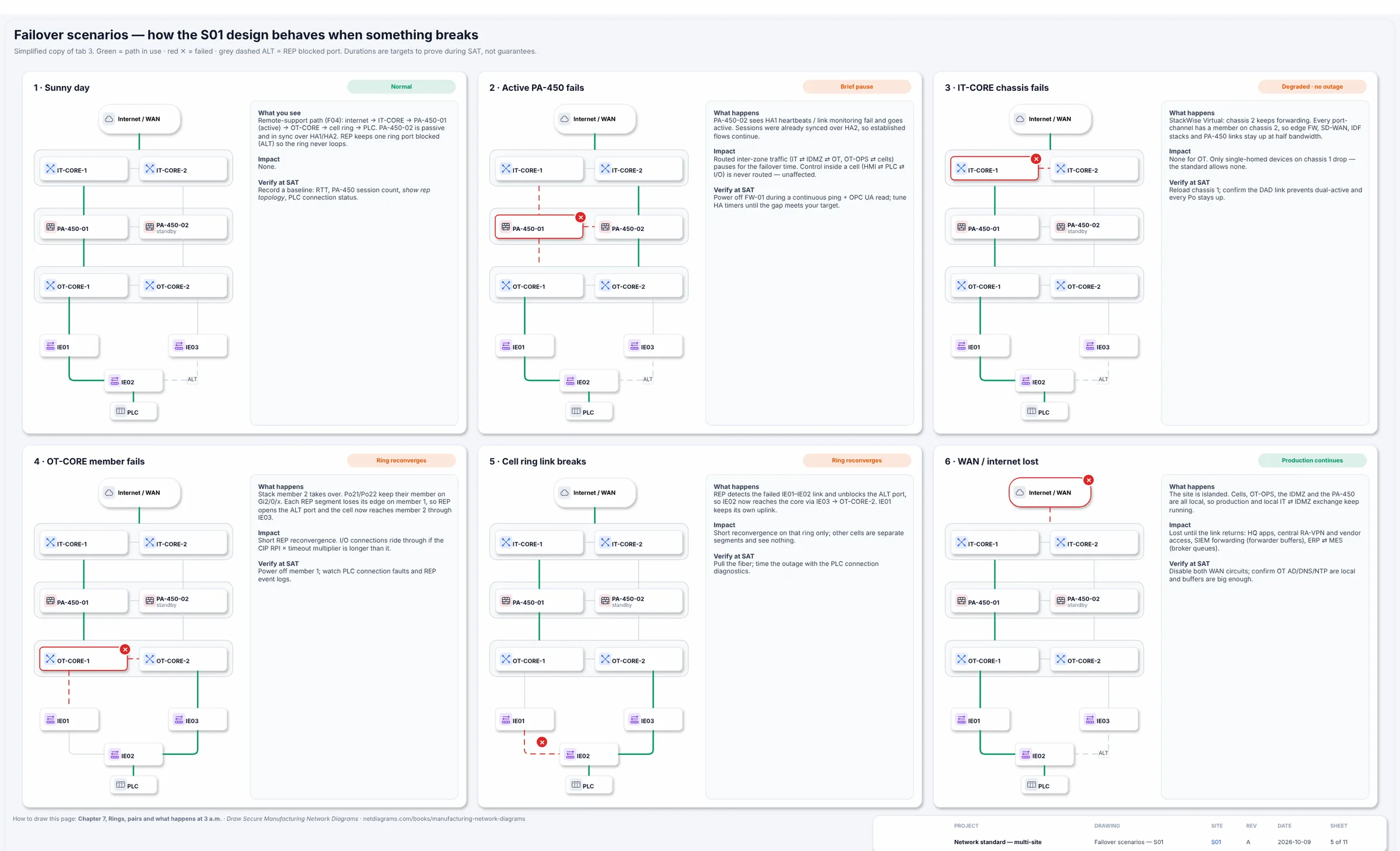
Failover: each failure drawn as its own scenario, so nobody works it out for the first time at 3 a.m.
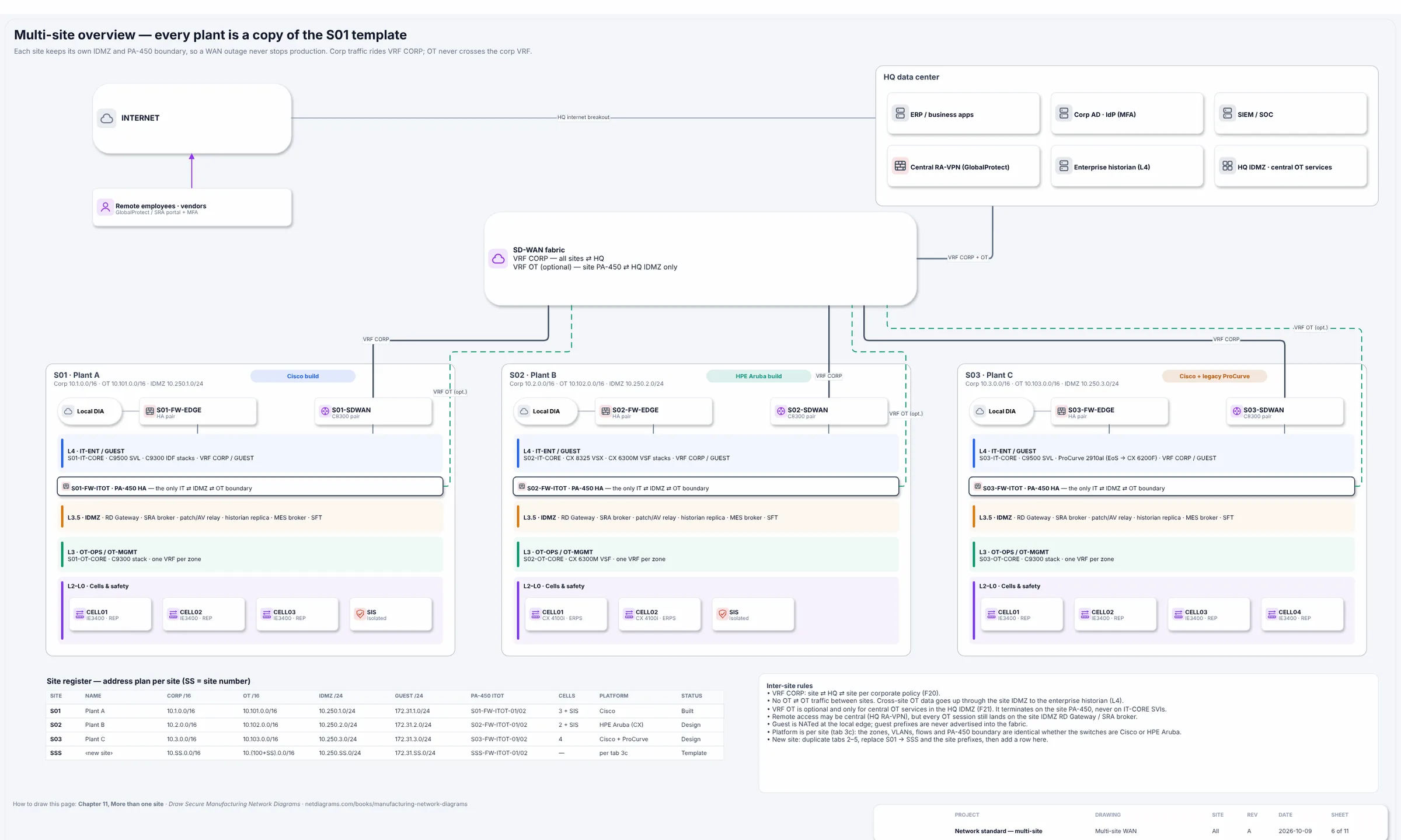
Multi-site WAN: every site a copy of one standard, so a difference stands out.
Network diagram examples by industry
Every kind of site groups its zones differently. A school separates students from staff and student records; a store keeps the payment zone apart; a bank draws the core processor's router behind its own firewall. Here is a page from each book's sample site: the overview, or the logical page where the zones are easiest to see.
Manufacturing plant
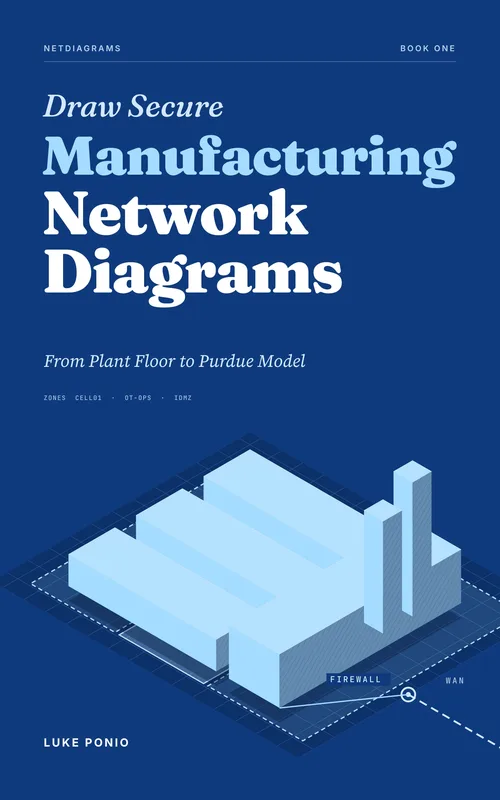
The overview at the top of this page: enterprise, industrial DMZ, site operations, production cells and the safety system, ranked by Purdue level. From Book 1: manufacturing, with a free chapter on the Purdue model.
School district
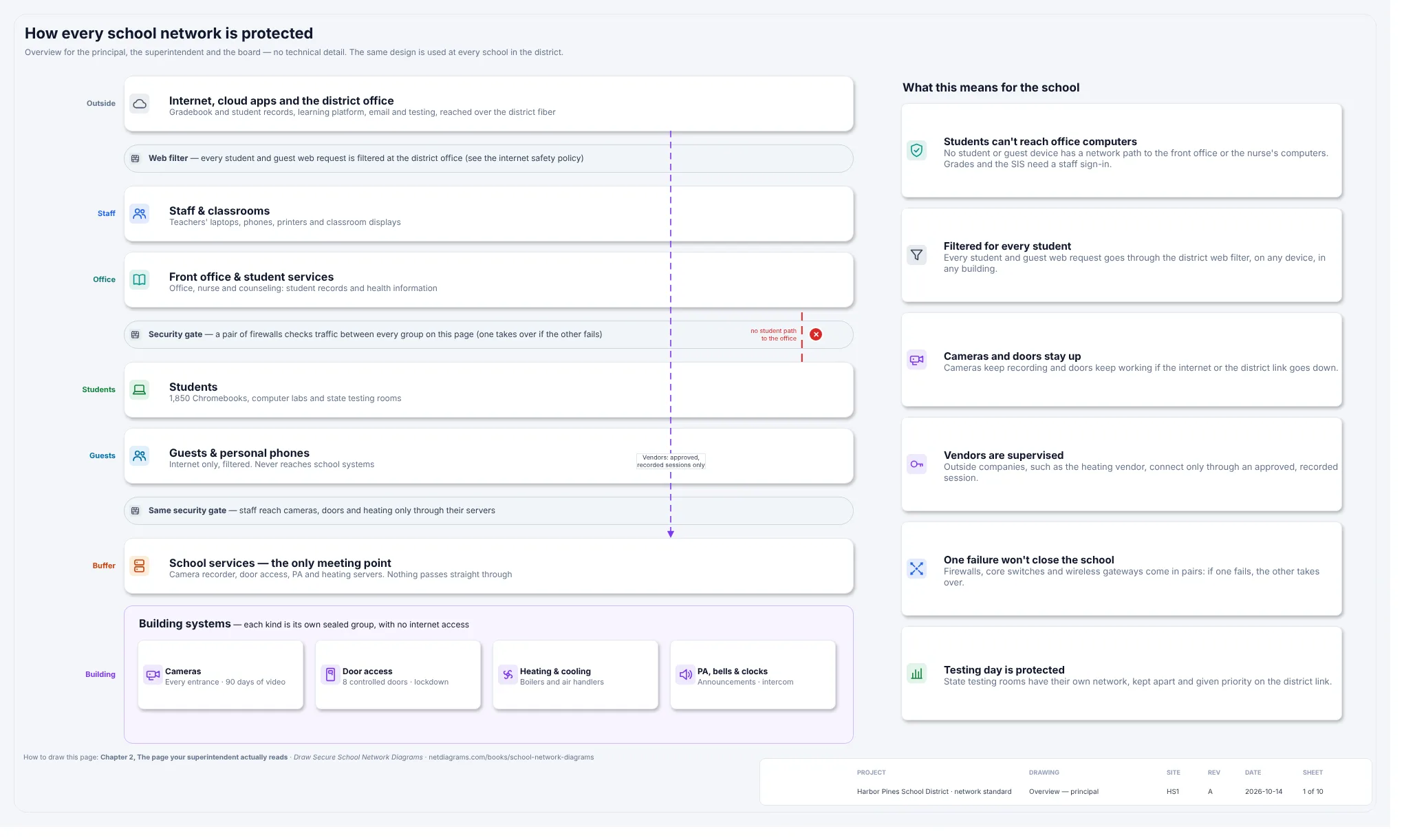
Students, staff, student records, guests and building systems, with a firewall pair as the only path between zones. From Book 2: education (free chapter).
Warehouse and distribution center
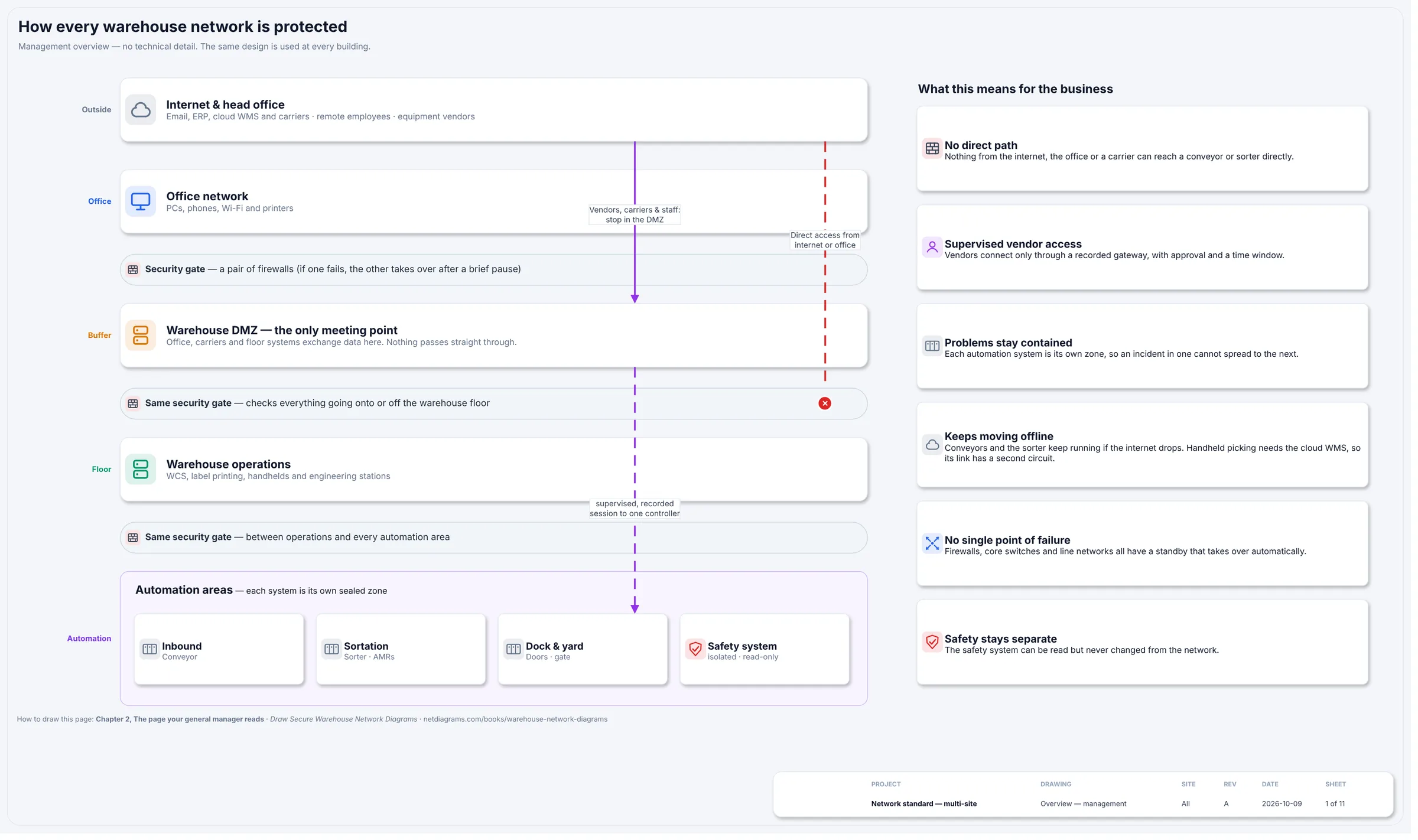
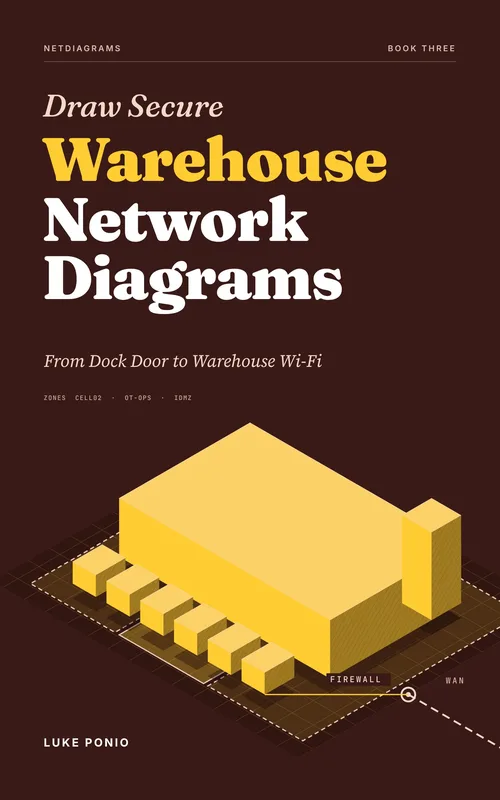
Business, an integration DMZ, warehouse operations, handhelds, conveyor and sorter controls, and safety. From Book 3: warehousing and logistics (free chapter).
Retail store
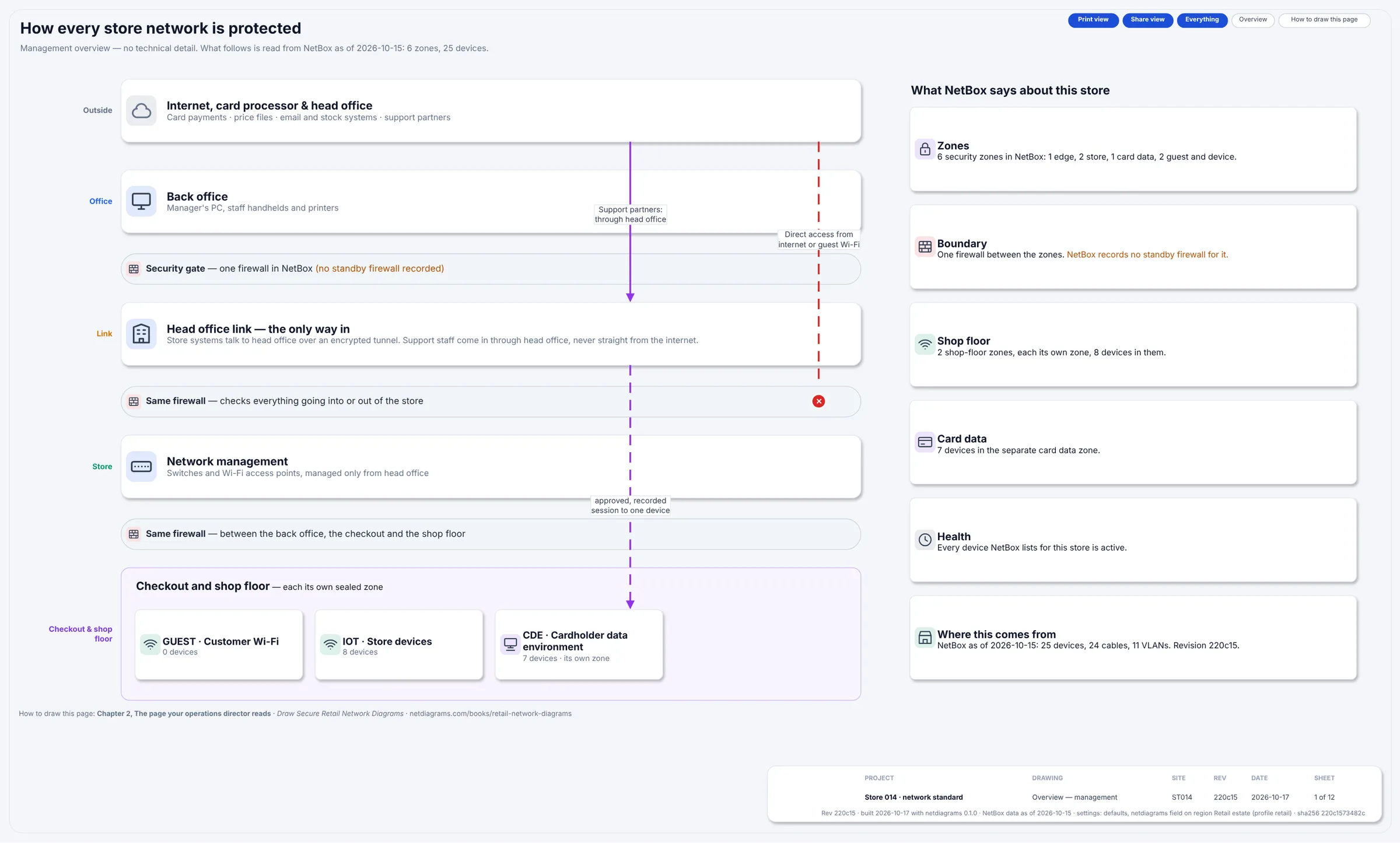
The cardholder data environment drawn as a zone with an edge, guest Wi-Fi and store devices outside it. From Book 4: retail (free chapter).
Small office
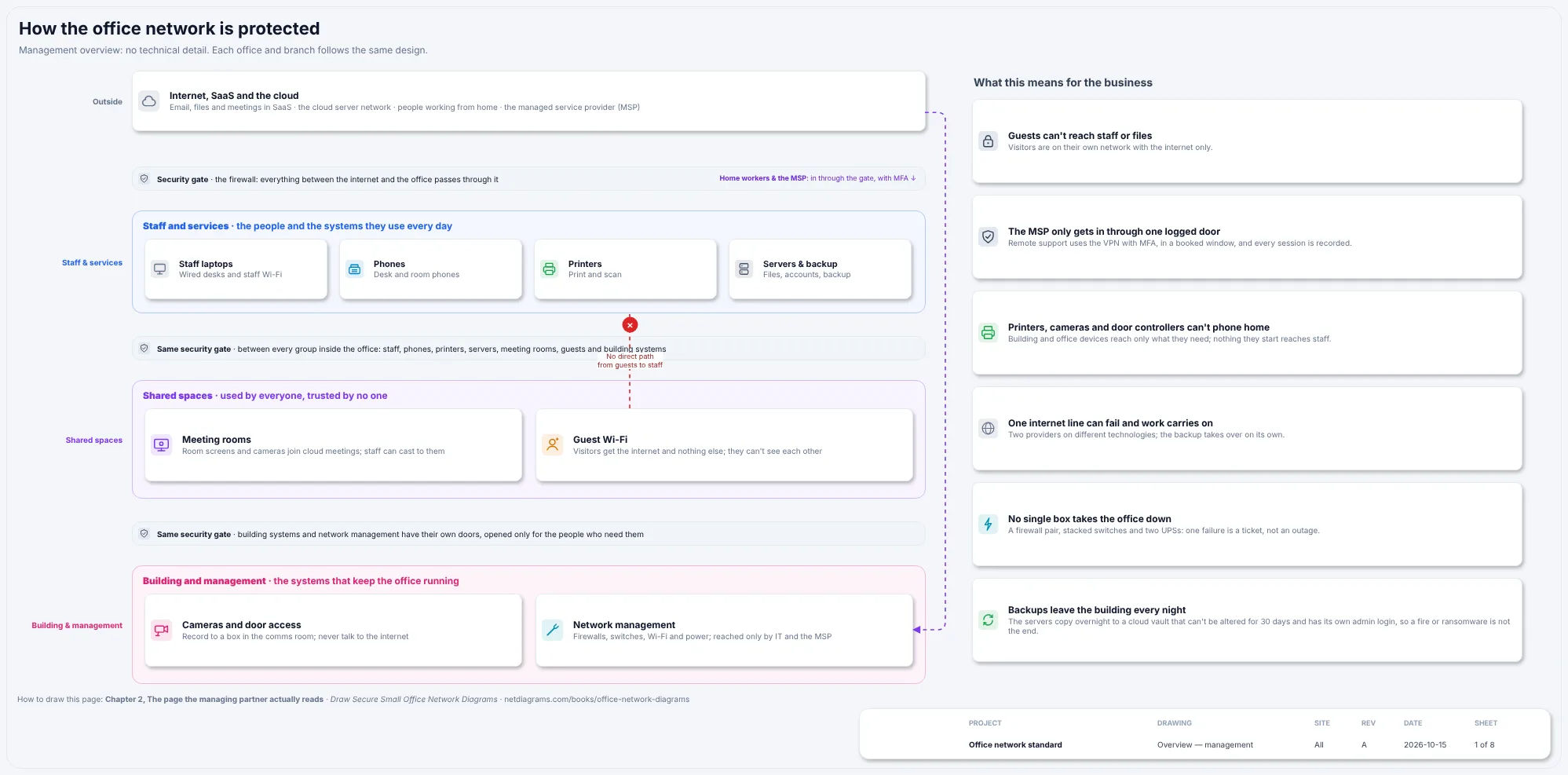
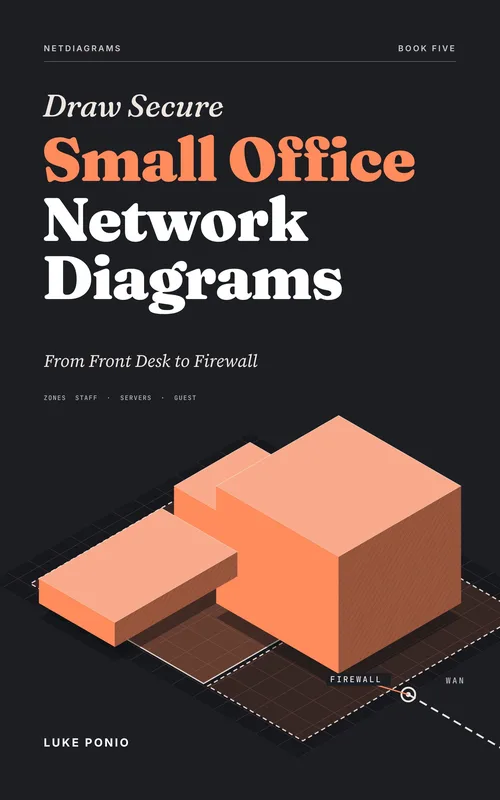
Staff, phones, printers, servers, guests, cameras and management, all behind one firewall. From Book 5: small offices (free chapter).
Bank or credit union
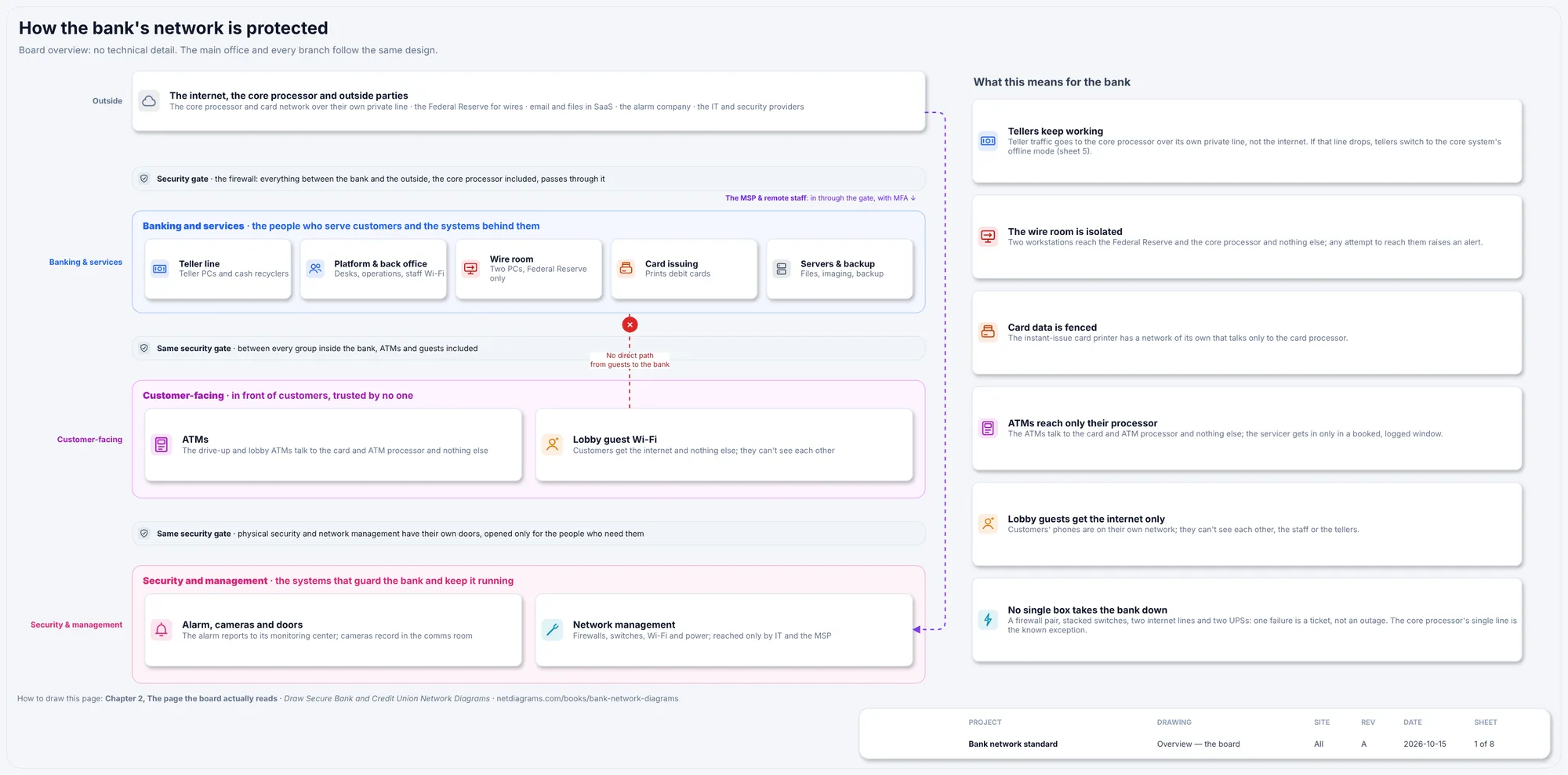
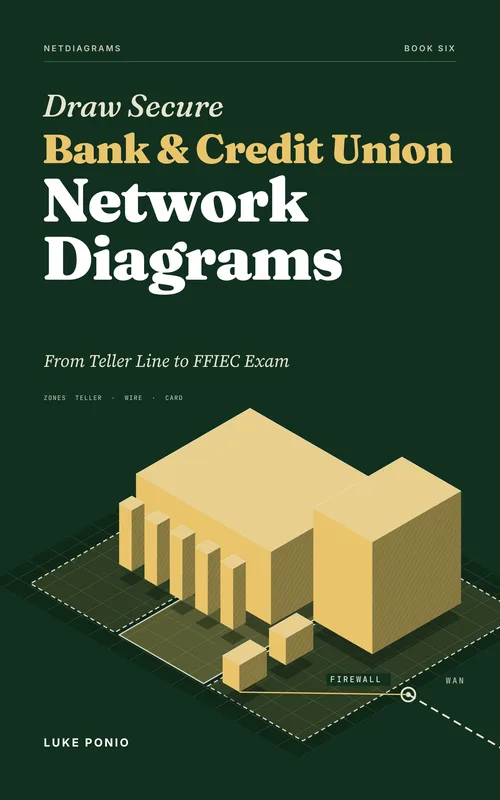
Teller line, wire room, card room, ATMs and the core processor's router behind your firewall. From Book 6: banks and credit unions (free chapter).
City or county government
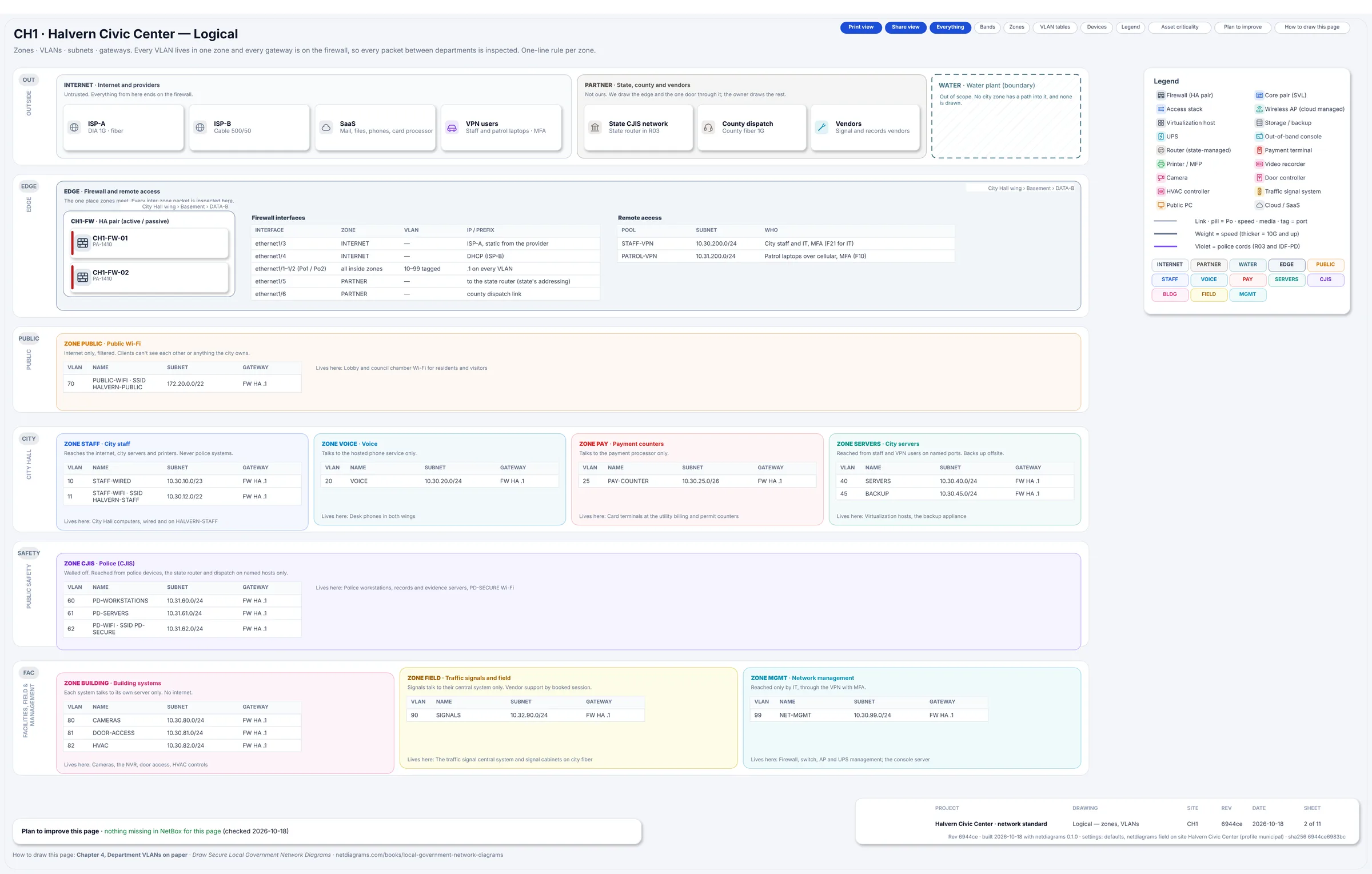
Departments, the police wing under the CJIS Security Policy, public Wi-Fi, partners and building systems. From Book 7: local government (free chapter).
Hotel
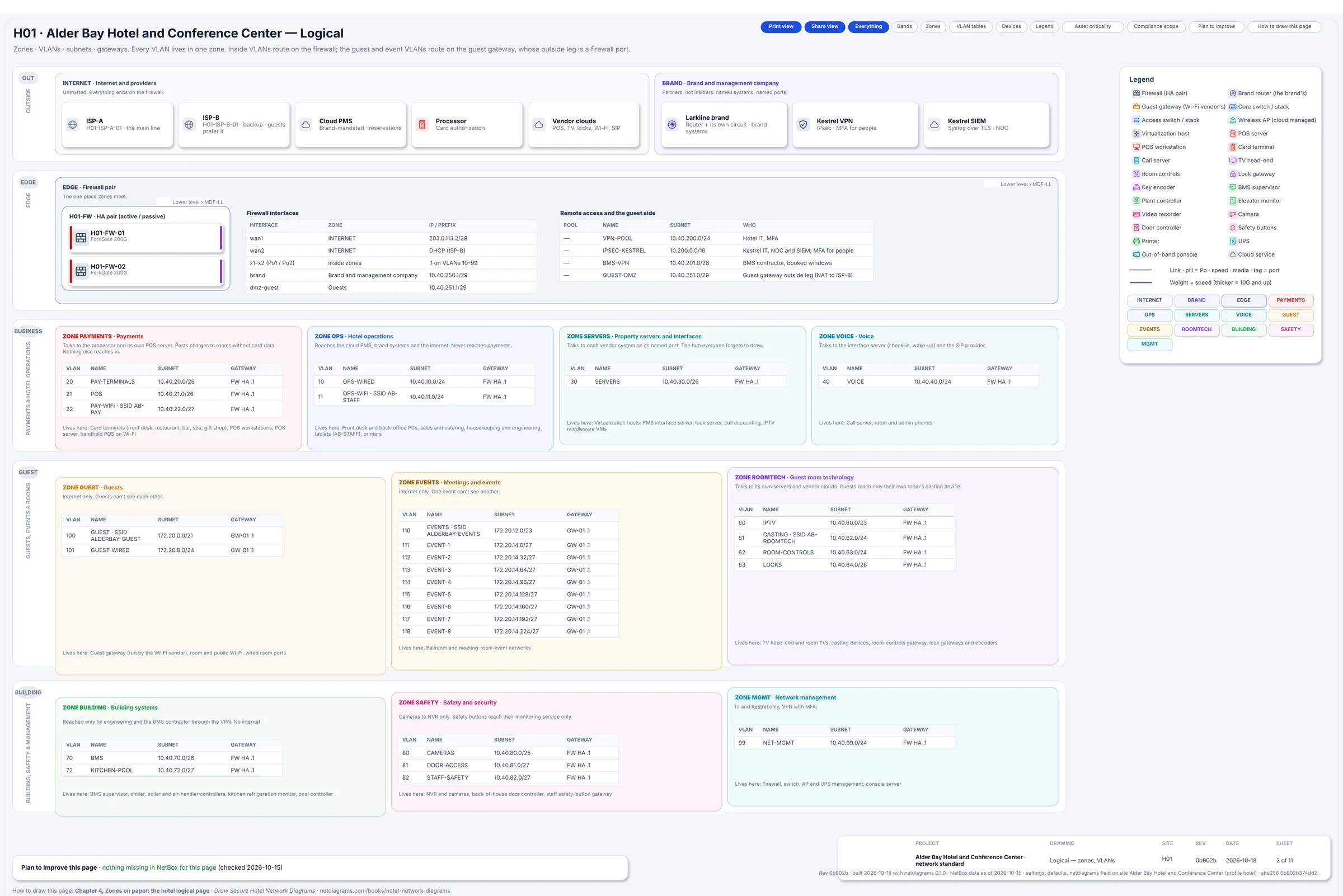
Front desk, restaurant and spa payments, guest and conference Wi-Fi, door locks and the brand's connection. From Book 8: hotels (free chapter).
Corporate headquarters and branches
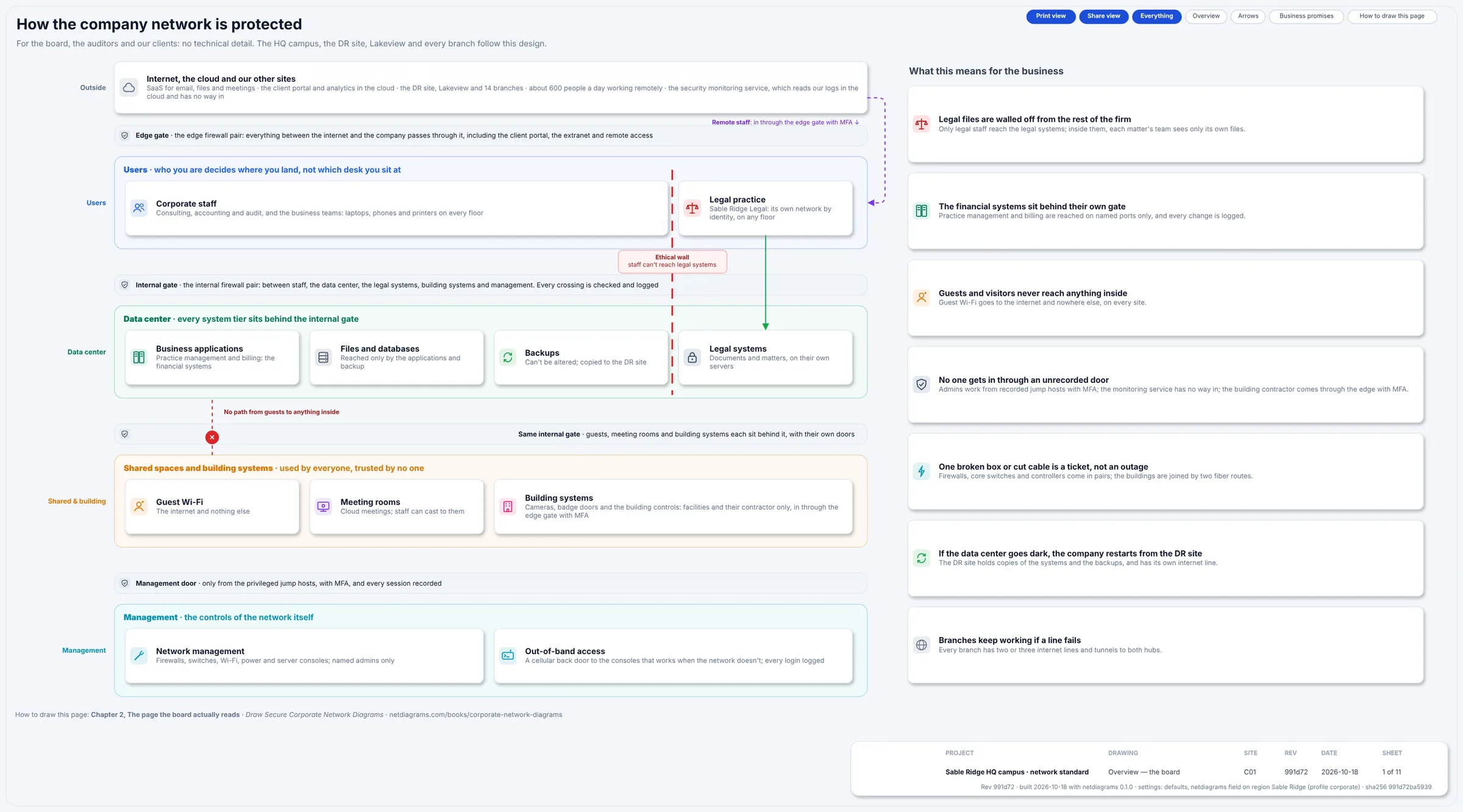
VRFs as the big zones, internal firewalls where they meet, and the data center routed again. From Book 9: corporate and multi-site (free chapter).
Car dealership
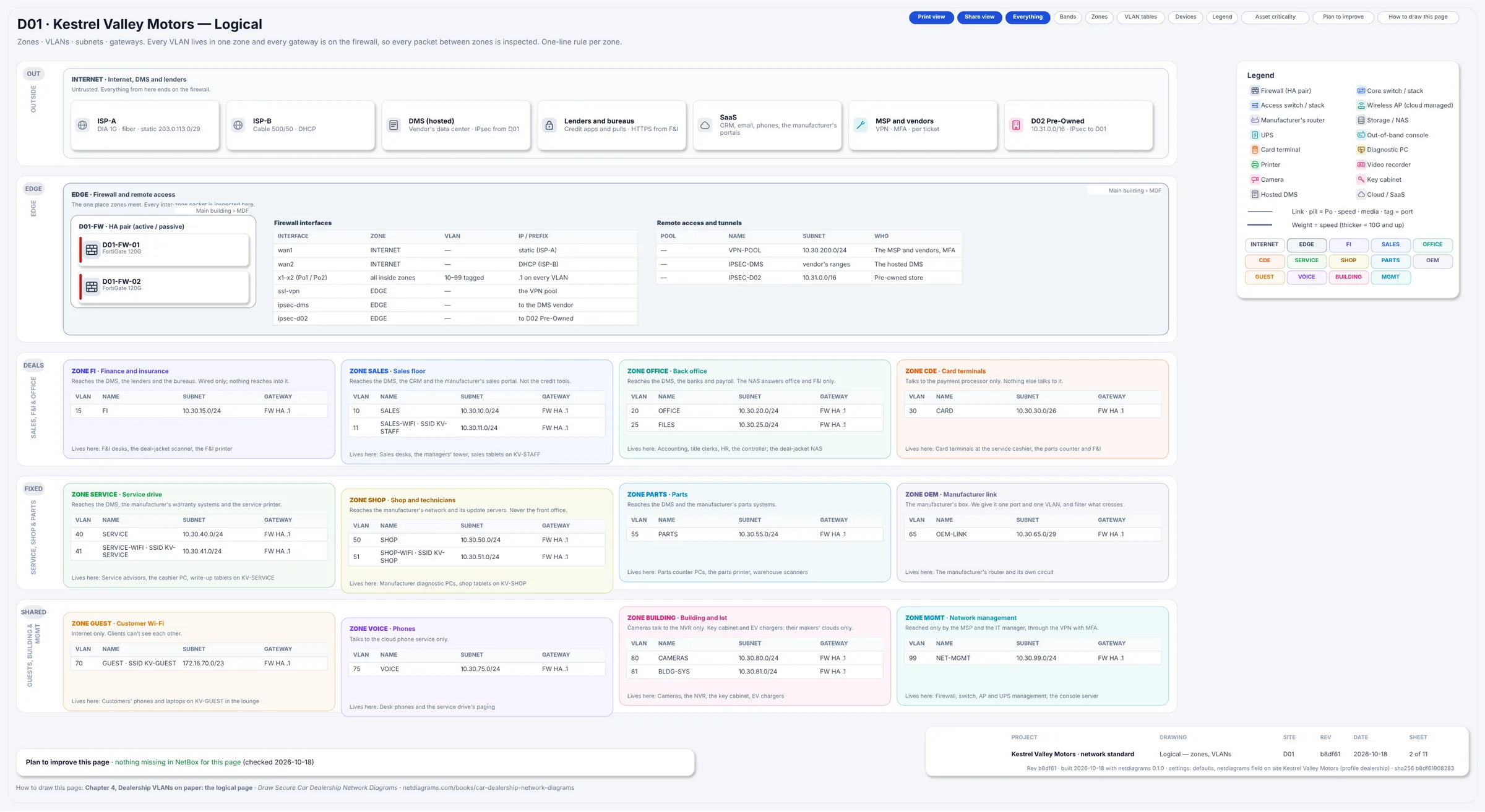
F&I, the dealer management system outside your walls, the shop's diagnostic tools, the service lane and guest Wi-Fi. From Book 10: car dealerships (free chapter).
Network diagram templates
A template is worth having only if it gives you a standard, not just shapes: the same pages, zone bands, tables and title block for every site, so the second site takes an afternoon instead of a week.
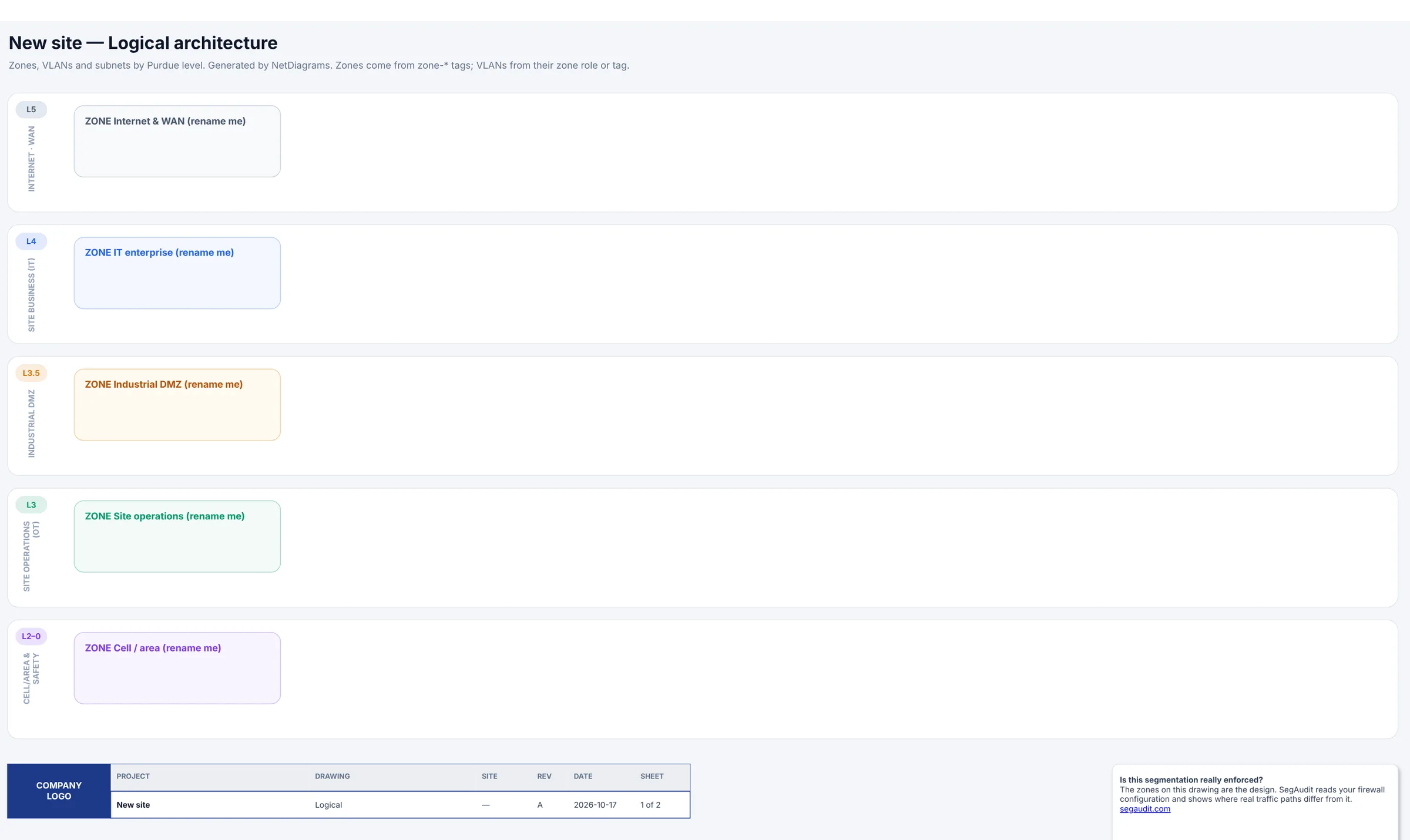
A blank logical page from the template: empty zones in order of trust, each waiting for its VLAN table.
The free, open-source NetDiagrams tool ships a draw.io template for each kind of site, with a matching shape library:
pip install git+https://github.com/segaudit-hq/netdiagrams-public
netdiagrams blank --profile retail -o store.drawio    # or manufacturing, warehouse, education, office
netdiagrams stencils --profile retail                 # the matching draw.io shape library
If you keep your network in NetBox, even the free self-hosted edition, skip the blank page: netdiagrams fills the whole template from your NetBox data, one drawing per site, and lists what NetBox is missing. Every shape links back to its NetBox object, so the drawing changes when the data does.
What makes a network diagram worth keeping
Five questions to ask any network diagram, whichever example or template it started from:
- Which zone is this in?
- Who routes it?
- Which device guards its edge?
- When was this checked?
- Where is the record?
If the drawing can't answer, it has work to do. Score your diagram for the 20-question version, or read the 18 rules for drawings that stay true.